Department of Kinetic Imaging · VCU
3D Computer Art
Info
Description
A comprehensive introduction to the use of the computer for modeling, rendering, and animating three-dimensional objects and environments.
Students learn the basic principles, aesthetic, and concepts of 3D computer art and animation using Blender as a means of self-expression and conceptual experimentation.
2 lecture + 4 studio hours. 4 credits.
Learning Outcomes
Students explore the aesthetic of 3D objects, space, and motion; creative applications of 3D technology; and engage in critical discussions on 3D art works.
Assessment
Participation / Research10%
Assignments / Exercises20%
Project I — Building Your Monument15%
Project II — World Building25%
Final — 3D not 3D30%
Schedule
Week 1Jan 13 / 15
What is 3D Computer Art?
Intro to Blender — interface, primitive shapes, boolean, polygon components, render.
Assignment: Make an avatar with primitive shapes.
Assignment: Make an avatar with primitive shapes.
Week 2Jan 20 / 22
UV + Shading / Library Tour
UV unwrapping, texture painting.
Avatar assignment due before next class.
Avatar assignment due before next class.
Week 3Jan 27 / 29
Sculpting + Lighting
Sculpting in Blender — Fish assignment.
Lighting + Render — Lighting Challenge.
Lighting + Render — Lighting Challenge.
Week 4Feb 3 / 5
Modifier + Edit Mode
Project I introduced — Building Your Monument.
Week 5Feb 10 / 12
AR Tools / Work Day
Kivicube, Blippar; Project I work session.
Week 6Feb 17 / 19
Project I Critique due
Work day + Mixed & Immersive Reality Studies minor info share.
In-class critiques.
In-class critiques.
Week 7Feb 24 / 26
World Building + Project II Intro
Narrative, camera work, animating shapes — keyframe, hierarchy, graph editor.
Week 8Mar 3 / 5
World Building — Artist Talks
Guest artist talk on Zoom (Mar 3) + in-person artist talk (Mar 5).
Week 9Mar 10 / 12
Spring Break
No class.
Week 10–11Mar 17–26
World Building Work Days
Production work sessions for Project II.
Week 12Mar 31 / Apr 2
Project II Critique due
In-class critiques + intro to Blender × Unity.
Week 13Apr 7 / 9
Unity XR + Final Project
Final project description introduced — 3D not 3D.
Final project proposal presentations & individual/group meetings.
Final project proposal presentations & individual/group meetings.
Week 14–15Apr 14–23
Final Work Days
Open studio work sessions.
Week 16Apr 28 / 30
Final Project Due due
In-class final critiques.
Resources
Blender
- blender.org Free, open-source 3D creation suite used throughout the course.
- Blender Beginner Donut Tutorial — Andrew Price Canonical Blender intro: UV unwrapping, shading, and rendering.
- Mastering Blender Basics: Edit Mode
- Modifiers for Beginners
- How to Use Curves for Beginners
- Mixamo — Adobe Auto-rigging and animation library for 3D characters; used in World Building.
AR Tools
Reading & References
Course Materials
- GitHub — WeitongSun/3D-Computer-Art ↗ Slides, exercises, and code examples from the course.
Project I — Building Your Monument
- Imagine a monument that represents you. What should be on this empty stand? Sculpt and model it in Blender, then present it via AR or 3D print.
- Tutorials
- Mastering BLENDER BASICS Made Easy — Edit Mode
- Modifiers for Beginners
- How to Use Curves for Beginners
- Reading
- Lev Manovich — "Navigable Space" (2001)
- Lev Manovich — "The Poetics of Augmented Space" (2005) optional
- Art References
- Ian Cheng — worldto.live
- Lawrence Lek — Monument Emitter (2023)
- Monument Lab
- Nancy Baker Cahill — CENTO
- Un-monument — Boston.gov
Project II — World Building
- Collaborate in teams to build a shared 3D world — each person adds models weekly. Final output: a 30-second animated film showcasing your world's story and landscape.
- Art References
- aaajiao — Deep Simulator
- Jakob Kudsk Steensen — Aquaphobia
- Ziyang Wu — Pasig River 2030
- Lernert & Sander — Das Haus
- DROP CITY — Vimeo
- Tutorials
- First Steps in Blender Animation – A Comprehensive Tutorial (YouTube)
- Mixamo Blender add-on — Adobe Substance 3D
- Animate Cameras like a Pro (Blender Tutorial, YouTube)
- Blender Camera Follow Path Tutorial (YouTube)
- How to Add Sky in Blender (YouTube)
- How to Create Procedural Buildings | Blender Geometry Nodes (YouTube)
- Graswald — Free Plant Library for Blender
- LinkedIn Learning — Blender chapters
Final — 3D, not 3D
- Create a work that questions what 3D can be. Why does it need to be 3D? Choose: Medium is the Message (use 3D's qualities as content) or Medium is Hybrid (subvert the 3D aesthetic entirely).
- Format: animation (min. 1 min.), XR/VR, 3D print installation, projection, interactive, AR sculpture, video essay, or other. Solo or group.
- Art References
- Ziyang Wu — ziyangwu.com
- Vimeo — 346958033
- Wendi Yan — World-05: Walnut Palaces
- Hito Steyerl — This is the Future (LUX)
- Hito Steyerl — Power Plants (Serpentine)
- New Museum
Student Work
Project I — Building Your Monument
3D sculpture in Blender · displayed via Sketchfab / AR / 3D print · Spring 2026
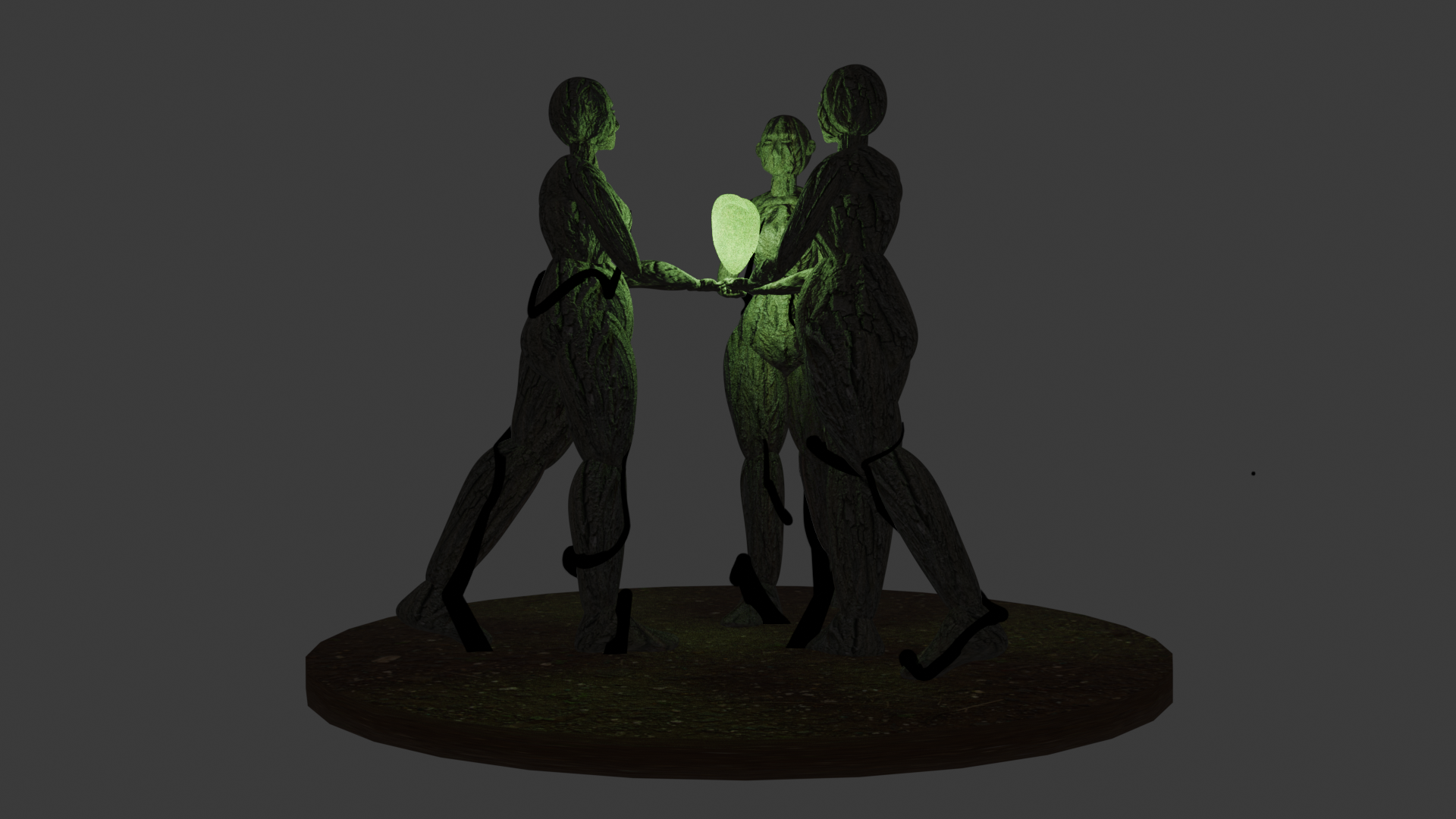
Madison Stout
Project II — World Building
3D animated short film in Blender · group project · Spring 2026
Team Blueberry Pie
Anaïs Wojtysiak, Diego Estrada, Eric Haskell, Grant Parsons, Sophia Monine, Zana Tibbs
Watch on Google Drive →
Team Us
Cas Georgeson, Charlie VanFossen, Madison Stout, Morgan Jones, Robyn Todd
Watch on Google Drive →
Final — 3D not 3D
Installation / projection / animation — individual or group · Spring 2026
| Anaïs Wojtysiak | La Lluvia | Watch on Google Drive → |
| Cas Georgeson | In '05 | Watch on Google Drive → |